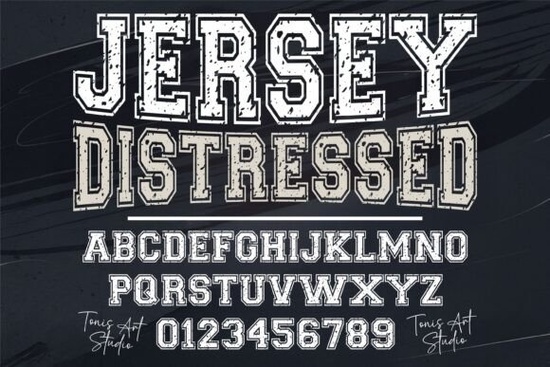
If you're designing football jerseys, gym apparel, or team merch and want that authentic, lived-in sports look Jersey Distressed Font is a straightforward choice. It’s not overly stylized or gimmicky; it’s a bold, varsity-style display font with intentional texture and grit, built for clarity at large sizes and impact on fabric or vinyl. Think of it as the kind of typeface you’d see stitched across the chest of a high school football jacket not polished, but purposeful.
What makes this font work well for athletic designs?
Unlike clean sans-serifs or delicate scripts, Jersey Distressed leans into its roughness. The subtle grunge effect isn’t just decorative it mimics real-world wear: scuffs, uneven edges, and slight irregularities in stroke weight. That realism helps designs feel grounded and credible, especially for custom apparel or local team branding where authenticity matters more than perfection.
It includes uppercase letters, numerals, and basic punctuation in both OTF and TTF formats so it works reliably in Cricut Design Space, Silhouette Studio, Adobe Illustrator, and most print-on-demand platforms. No extra plugins or conversions needed. If you’ve ever struggled with fonts that don’t cut cleanly on a vinyl cutter or render inconsistently on a t-shirt mockup, this one avoids those hiccups by design.
Where does it fit alongside other display fonts?
Not every project needs distressed texture. Sometimes you want vintage charm without the grit like the warm, hand-drawn feel of Leah Font, or the elegant contrast of Romantic Aura Duo for wedding or boutique apparel. For western-themed gear, Cowboy Western Font offers strong serifs and rustic flair, while Forever Humble Font gives quiet confidence with soft curves and balanced spacing.
None of these replace Jersey Distressed they complement it. You might use Jersey Distressed for a championship banner, then switch to Leah Font for a matching event flyer or social post. Variety keeps your brand flexible without sacrificing cohesion.
Real uses not just “great for logos”
Here’s what designers actually do with it:
- T-shirt heat transfers: Works at 3–4 inch heights without thin lines collapsing or details filling in.
- Cricut vinyl projects: Clean vector outlines mean smooth cuts even on older machines.
- Sports team kits: Pair with simple block numbers (also included) for full jersey layouts.
- Gym wall decals: Holds up well on matte black or textured walls thanks to its high-contrast shape.
- Local business signage: A coffee shop with a “Weekend Warrior” loyalty program used it for window lettering no digital filters needed.
It’s not meant for body text or fine print. But for short, punchy phrases “TEAM 5”, “NO PAIN”, “CHAMPIONS” it delivers consistency and character without extra effort.
How to get the most out of it
Start simple. Type your word or number, then adjust tracking (letter spacing) slightly tighter about -20 to -40 units in most apps to help the letters feel connected, like real embroidery. Avoid stretching or skewing the font; its strength is in its original proportions. If you’re layering it over photos or busy backgrounds, try adding a subtle white stroke (1–2 pt) in Illustrator or a drop shadow in Canva just enough to lift it, not overpower it.
And remember: distressed doesn’t mean low quality. This font was carefully digitized so the texture repeats naturally across characters not pasted on as a filter. That’s why it scales cleanly from a 2-inch iron-on to a 36-inch banner without pixelation or mismatched grain.
Before you download or buy:
- Check your software supports OTF/TTF (most do but some web-based tools prefer WOFF).
- Preview the full character set: confirm numbers and symbols you need are included (e.g., “&”, “@”, or team-specific abbreviations).
- Test-cut or print a small sample first especially if using with glitter vinyl or specialty fabrics.
- Save a version with simplified spacing for smaller sizes (under 1.5 inches), since tight tracking can blur at tiny scales.
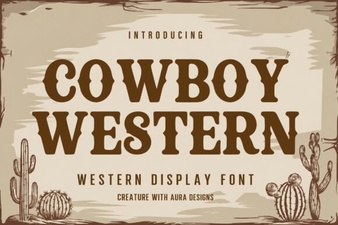 Cowboy Fonts for Western Designs and Diy Projects
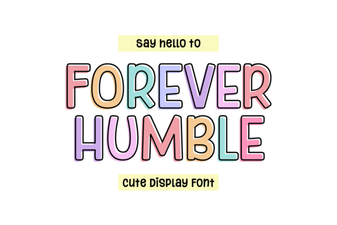 Forever Humble Font: a Creative Design Resource
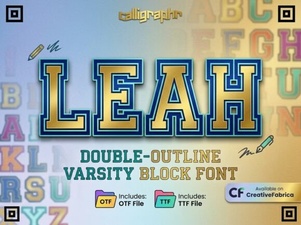 Explore Leah Font Designs for Creative Projects
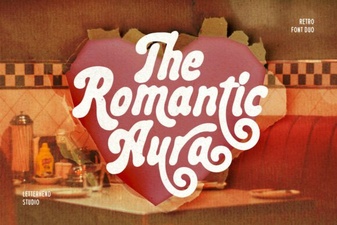 Romantic Aura Duo Font for Elegant Projects
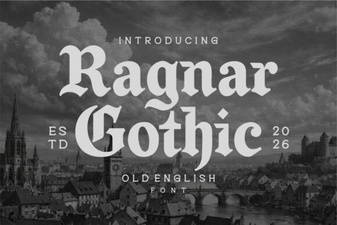 Creative Projects Using Ragnar Gothic Font
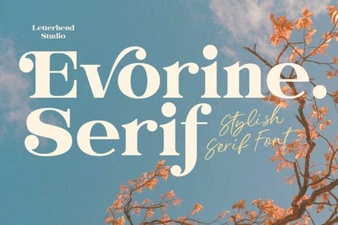 Evorine Serif Font for Elegant Web Design