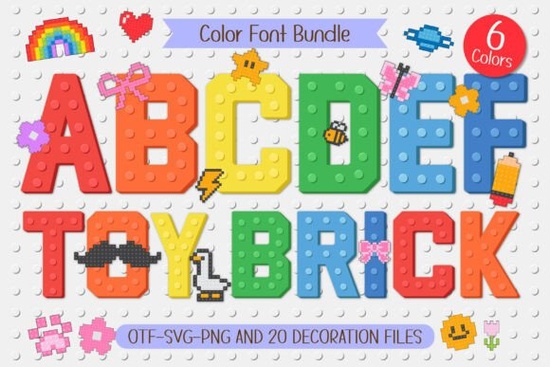
If you're looking for a playful, instantly recognizable font that brings building-block charm to kids’ projects, the Toy Brick Font is a natural fit. It’s not just another “fun” font it’s built with real design intent: each uppercase and lowercase letter mimics the chunky shape, rounded corners, and signature stud texture of classic toy bricks. That tactile, 3D-inspired look comes through even in flat digital use, making it especially useful for print-on-demand items, classroom visuals, or custom name stickers where authenticity matters.
What makes this font different from other playful fonts?
Most kid-friendly fonts lean into scribbles, bubbles, or cartoonish curves. The Toy Brick Font stands out because it treats typography like physical construction each character feels like it could be stacked, snapped together, or held in small hands. The included six color variants (think bright red, sunny yellow, sky blue, grass green, coral pink, and deep purple) are carefully balanced not neon-bright, but vibrant enough to pop on light backgrounds and remain legible on darker ones. And unlike many color fonts that rely on layering or manual recoloring, this one works smoothly in compatible apps like Illustrator (with OpenType-SVG support), Affinity Designer, and newer versions of Cricut Design Space.
What’s included and how do people actually use it?
Beyond the alphabet, numbers, and punctuation, the set includes:
- 20 Pixel Doodles: Bows, butterflies, lightning bolts, flowers, stars, hearts, rockets, and more all designed at the same pixel density and scale as the letters, so they align and group intuitively.
- Color-matched variants: Every doodle comes in all six font colors, letting you mix and match without clashing palettes.
- Clean vector outlines: For crafters using cutting machines, the shapes convert cleanly to paths no jagged edges or rendering surprises.
Teachers use it for sight-word posters and reward charts. Print-on-demand sellers apply it to toddler T-shirts, nursery wall art, and personalized backpack tags. Small businesses designing party supplies often pair it with simple sans-serifs for contrast like using Toy Brick Font for the name and a clean, neutral font for details. One customer shared how she layered the blue brick “A” and matching butterfly doodle onto a baby shower invitation and got three repeat orders from friends.
Does it work well for commercial projects?
Yes. The license covers both personal and commercial use including unlimited physical products (stickers, mugs, fabric prints) and digital goods like Canva templates or printable activity packs. You don’t need an extended license to sell items made with it, which simplifies things if you’re launching a new line of educational printables or custom birthday kits. Just keep in mind it’s a color font, so it won’t render in grayscale or monochrome environments unless you manually adjust layers first.
How does it compare to similar fonts on Creative Fabrica?
There are plenty of block-style fonts out there but few combine consistent texture, thoughtful color variation, and ready-to-use doodles in one package. Some alternatives, like Pixel Play Font, focus more on retro gaming aesthetics, while others lean heavily into hand-drawn imperfection. The Toy Brick Font sits comfortably between realism and approachability ideal if your audience values clarity and charm.
If you’ve already tried using free brick-style fonts and found them pixelated at larger sizes or missing lowercase letters, this one solves those gaps. It’s also optimized for readability at smaller point sizes (down to ~14pt for printed labels), which helps when designing tiny jar labels for homemade playdough kits or mini flashcards.
Where to start using it right away
Try these low-effort, high-impact ideas:
- Add a child’s name in red brick letters above a matching flower doodle on a growth chart.
- Use the yellow “S” + lightning bolt combo as a fun highlight for “Sale!” or “Special!” banners.
- Layer two colors (e.g., blue letters over a subtle gray outline) for subtle dimension in SVG cut files.
- Pair with a simple sans-serif for body text avoid competing playful fonts on the same page.
You can grab the full set including all colors and doodles at the dedicated product page. It’s priced accessibly for hobbyists but robust enough for small business use. No subscriptions, no hidden fees just a straightforward download with clear licensing terms.
Before you download: Check your software version first. If you’re using older versions of Photoshop or Silhouette Studio, stick to the included PNG versions of the doodles or test the OTF/SVG file in a new document to confirm compatibility. And if you plan to use it across multiple team members, remember the license allows sharing within a single business entity, but not resale or redistribution of the font files themselves.
Get Started Cowboy Fonts for Western Designs and Diy Projects
 Creative Projects Using Ragnar Gothic Font
 Forever Humble Font: a Creative Design Resource
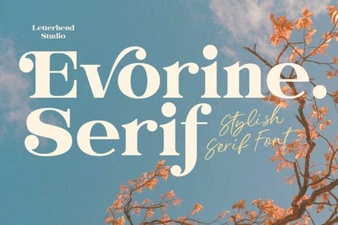 Evorine Serif Font for Elegant Web Design
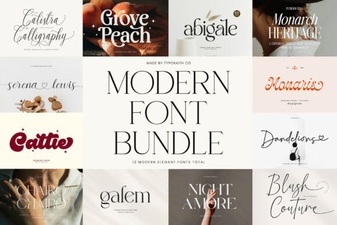 Modern Font Bundles for Creative Designs
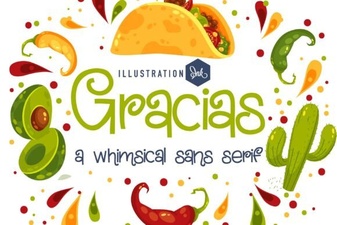 Gracias Font Styles for Creative Designs